






Delete Sheets™ - Quick & Easy

Make Google Sheets Easier to Use

Extra Sheets Features adds powerful everyday tools to Google Sheets — the things you often need but are missing or inconvenient to do.

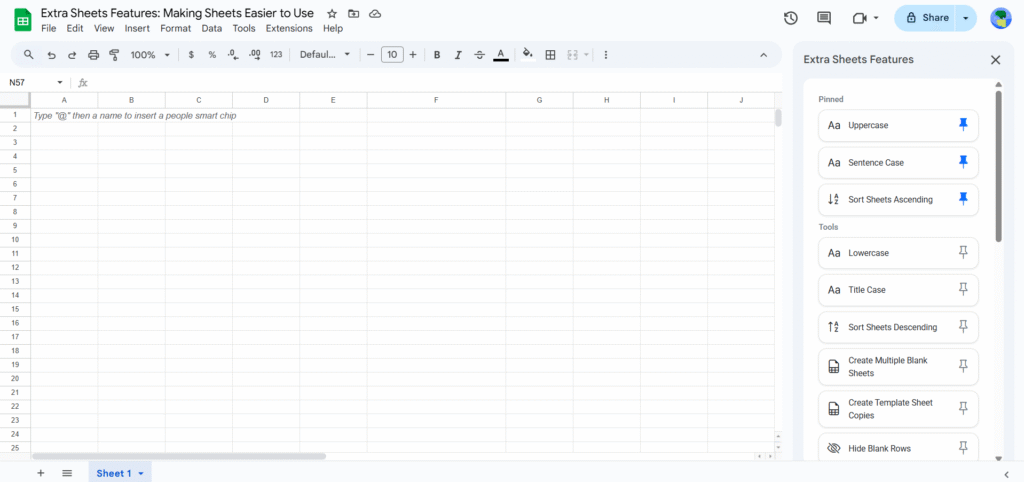
Extra Sheets Feature Sidebar Screenshot

Google Sheets is powerful — but everyday tasks are painful

Many simple actions take too many clicks, formulas, or repeated steps.

Wasted time

Changing text case, cleaning data, or managing sheets row by row adds up quickly.

Repetitive work

You perform the same actions again and again, with no easy bulk option.

Over-complicated solutions

Formulas, scripts, or workarounds just to do basic things.

One sidebar. Many problems solved.

Extra Sheets Features puts essential tools exactly where you need them.

 
Text tools

Uppercase, Lowercase, Title Case, Sentence Case and more.

Bulk sheet management

Hide, unhide, delete, protect or unprotect multiple sheets.

 
Template-based sheets

Create many new sheets using a template sheet.

Data cleanup

Delete blank rows and columns, remove duplicate values.

 
Duplicates & Uniques

Find duplicate and unique values instantly.

More coming

New features added regularly based on real needs.

Other Tools Made By Us

Simple add-ons built to save your time in Google Sheets.

Change Case Easily Logo

Change Case - Quick & Easy

Change Case – Quick & Easy is a lightweight Google Sheets add-on that lets you convert text to Uppercase, Lowercase, Sentence case, Title case, or Inverse case directly from the Extensions menu.

  • Select your data in Google Sheets
  • Go to Extensions → Change Case – Quick & Easy
  • Choose the case option you need
  • Text updates instantly
Supported Case Options
Uppercase

Convert selected text to all uppercase letters.

Lower Case

Convert selected text to all lowercase letters.

Sentence Case

Convert selected text so each sentence starts with a capital letter.

Title Case

Convert selected text so each word starts with a capital letter.

Inverse Case

Convert selected text by reversing the current letter casing.

Generate Spreadsheet Summary

Generate Spreadsheet Summary is a handy Google Sheets add-on that gives you a clear, detailed overview of your spreadsheet or any individual sheet. With one click, you can understand size, usage, formulas, and complexity—all shown neatly in the UI.

  • Go to Extensions → Generate Spreadsheet Summary
  • Choose Spreadsheet Summary or Current Sheet Summary
  • View the detailed summary instantly in the modal
Summary Includes

📄 Total sheets
📄 Sheet name
📏 Total rows
📐 Total columns
🔢 Total cells
🟦 Used cells
🚫 Unused cells
⬜ Entirely blank rows
⬜ Entirely blank columns
🧮 Total formulas
❌ Failed formulas
🙈 Hidden sheets
🔒 Protected sheets
🎨 Conditional formatting rules
📊 Charts
📈 Pivot tables
🔗 Sheet references between sheets

📄 All sheets list
🙈 Hidden sheets list
🗑️ Entirely blank sheets
⚖️ Sheets by heaviness (Heavy → Light)

Manage Multiple Tabs Easily Logo

Manage Multiple Tabs Easily

Manage Multiple Tabs Easily is a powerful Google Sheets add-on that lets you manage multiple sheet tabs at once. You can sort, bulk delete, hide or unhide, protect, and rename sheets directly from a single sidebar.

  • Go to Extensions → Manage Multiple Tabs Easily
  • Choose the operation you need (sort, delete, hide/unhide, protect, rename)
  • Select the sheets
  • Click the action button

Changes apply instantly across all selected tabs.

Supported Sheet Operations
Delete Sheets

Delete multiple selected sheets at once instead of removing them one by one.

Hide / Unhide Sheets

Hide selected sheets to keep your spreadsheet clean, or unhide them anytime with a single action.

Protect / Unprotect Sheets

Protect important sheets to prevent accidental edits, or remove protection in bulk when needed.

Rename Sheets

Rename multiple sheets in one go using flexible options:

  • Prefix – add text before existing sheet names

  • Postfix – add text after existing sheet names

  • Remove – remove specific text from sheet names

  • Replace – find and replace text across sheet names

Sort All Sheets

Reorder sheets automatically based on name:

  • Ascending – A to Z

  • Descending – Z to A

Create Template Copies Logo

Create Template Copies Easily

Create Template Copies Easily is a Google Sheets add-on that helps you quickly create multiple sheets using a list of names from your spreadsheet. You can generate blank sheets or create copies of an existing template sheet in bulk.

  • Select the list of sheet names in your spreadsheet
  • Go to Extensions → Create Template Copies Easily
  • Choose the action you want to perform
  • Sheets are created instantly using the selected names
Supported Sheet Creation Options
Create Blank Sheets

Create multiple empty sheets at once using the selected range as sheet names.

  • Select the list of sheet names
  • Click the Create Blank Sheets button
  • Blank sheets are created instantly
Create Template Sheet Copies

Create multiple copies of a template sheet using the selected range as sheet names.

  • Select the list of sheet names
  • Click the Create Template Copies button
  • Select a template sheet from the dropdown
  • Click Create Template Sheet Copies
  • Template-based sheets are created instantly
Edit Text - Multiple at Once Logo

Edit Text - Multiple at Once

Edit Text – Multiple at Once is a powerful Google Sheets add-on that lets you edit text and values in bulk. You can add text before or after existing content, replace values, or remove text across selected ranges or the entire sheet—without editing cells one by one. 

  • Go to Extensions → Edit Text – Multiple at Once
  • Choose where to apply changes (selected ranges or current sheet)
  • Select the action (add before, add after, replace, remove)
  • Enter required values and case option (ignore case or not)
  • Click Apply
  • Changes are applied instantly to all matching cells.
Supported Text Operations
Add Before

Add text before existing cell content across selected ranges or the entire sheet.

Add After

Append text after existing cell content in bulk.

Remove Text

Remove specific text from cell values wherever it appears.

Replace Text

Find and replace text across cells with full control.

Case Control

Choose whether the operation should ignore case or match exact case.

Flexible Scope

Apply changes to selected ranges or the entire current sheet in one action.

Delete Sheets - Quick & Easy Logo 1

Delete Sheets™ - Quick & Easy

Quickly remove multiple sheets from your spreadsheet in just a few clicks. Select the sheets you want to delete and clean up your file instantly—no need to delete tabs one by one. Simple, fast, and efficient.

Rename Sheets - Quick & Easy Logo 1

Rename Sheets™ - Quick & Easy

Rename multiple sheets in your spreadsheet instantly. Add text before or after sheet names, replace words, remove specific text, or apply custom naming patterns in bulk. Save time and avoid repetitive manual renaming—quick, simple, and efficient.

Sort Sheets - Quick & Easy Logo 1

Sort Sheets™ - Quick & Easy

Easily organize your Google Sheets in seconds. Sort all sheets alphabetically (A–Z or Z–A) with one click and keep your spreadsheet clean and structured. Perfect for workbooks with many tabs where manual rearranging is time-consuming. Fast, simple, and hassle-free.
Find - Quick & Easy Logo 1

Find - Quick & Easy

Search and locate specific values across your selected sheet or entire spreadsheet in seconds. Quickly identify matching data without manually scanning rows and columns. Simple, fast, and efficient searching made easy.

Add Multiple Rows & Columns - Quick & Easy

Insert multiple rows or columns anywhere in your sheet with just a few clicks. Choose the position, enter the quantity, and add them instantly—no need to repeat the same action again and again. Fast, simple, and efficient.
Highlight - Quick & Easy

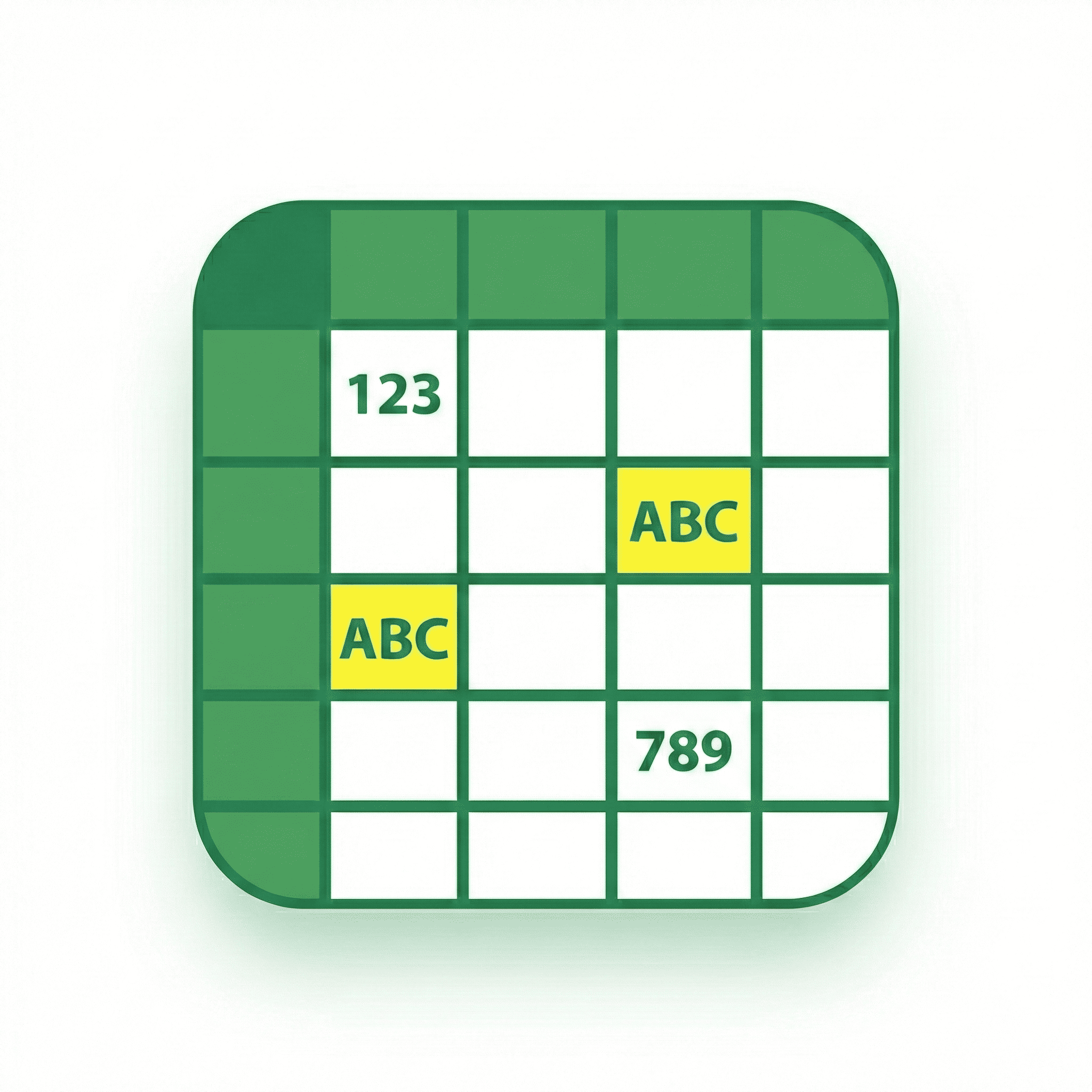
Instantly highlight duplicate values, duplicate rows, unique values, unique rows, and even formulas in your sheet. Choose a single color or apply multiple colors for better visibility and organization. A fast and simple way to analyze and clean your data without manual effort.
Remove Duplicates - Quick & Easy

Remove duplicate values or entire duplicate rows from your sheet in just a few clicks. Choose the columns you want to check and clean your data instantly—no complex formulas or manual filtering needed. Fast, simple, and reliable.
Delete Empty - Quick & Easy Logo 1

Delete Empty - Quick & Easy

Remove empty rows, empty columns, and even blank sheets from your spreadsheet in just a few clicks. Clean up your current sheet or entire file instantly—no manual searching or tedious scrolling required. Fast, simple, and hassle-free.